

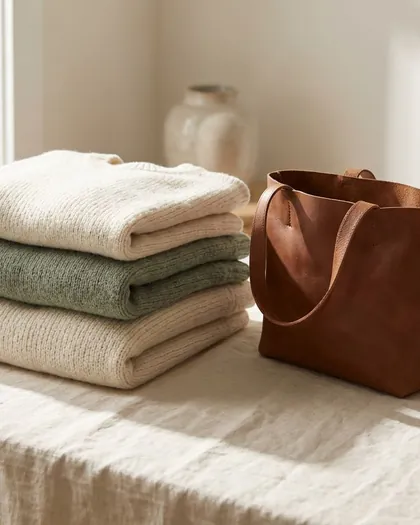


Step 1
Add this week's photos.
Or a Reel or a Story.
Step 2
Approve from the email.
Or choose Auto and skip the tap.
Step 3
It posts on time.
At the time you picked.
Auto-posting for Instagram
Your Instagram just happens.Post it yourself, or let your AI do it.
Add photos, write a caption and pick a time. Or ask Claude or ChatGPT to do it for you. We check every caption, and it posts at the time you picked.
Start
No card needed.
An example, for a bakery, a boutique, a plant shop and a cannabis store in turn: a post waits on a phone with its photo, its caption, its time and an Approve button, and beside it the caption is checked, the post is approved for Thursday at 9:00 am, and it is posted to the shop's Instagram.
How it works
Ask your AI
Tell Claude or ChatGPT, and it's scheduled.
Connect your AI once. Then ask it to schedule a post with your photos or check a caption, the same things you can do in the app. It can add a photo from a link, too.
What you get
Posts, Reels and Stories
Up to ten photos or clips in one post.
A caption check
We check every caption before it goes out.
Tap Approve
From the email or the app.
Many shops, one login
Each with its own Instagram.
Your AI, if you want it
Claude, ChatGPT and others.
Who it is for
For anyone who'd rather not post by hand.
Shops, cafés, studios, creators. You need an Instagram Business or Creator account.
Example

@yourbakery

@yourcafe

@yourbarbershop

@yourflorist
@yourstudio
@yourboutique

@yourplantshop

@yourphotos
Questions
Do you need my Instagram password?
No. You connect your Instagram once through Instagram's own sign-in. We never see your password.
What kind of Instagram account do I need?
A Business or Creator account. Switching is free in the Instagram app.
Can I check posts before they go out?
Yes. Choose Review and nothing posts until you tap Approve. Or choose Auto: once the caption passes our check, it posts at the time you picked.
I sell cannabis in BC. Can I use it?
Yes. Captions are checked for words BC rules out.
Can I run more than one shop?
Yes. One login can have many shops, each with its own Instagram.
Can anyone sign up?
Right now you need an invite code. Ask for one at info@storefrontfeed.com.